Feature

Track candidates
without the chaos

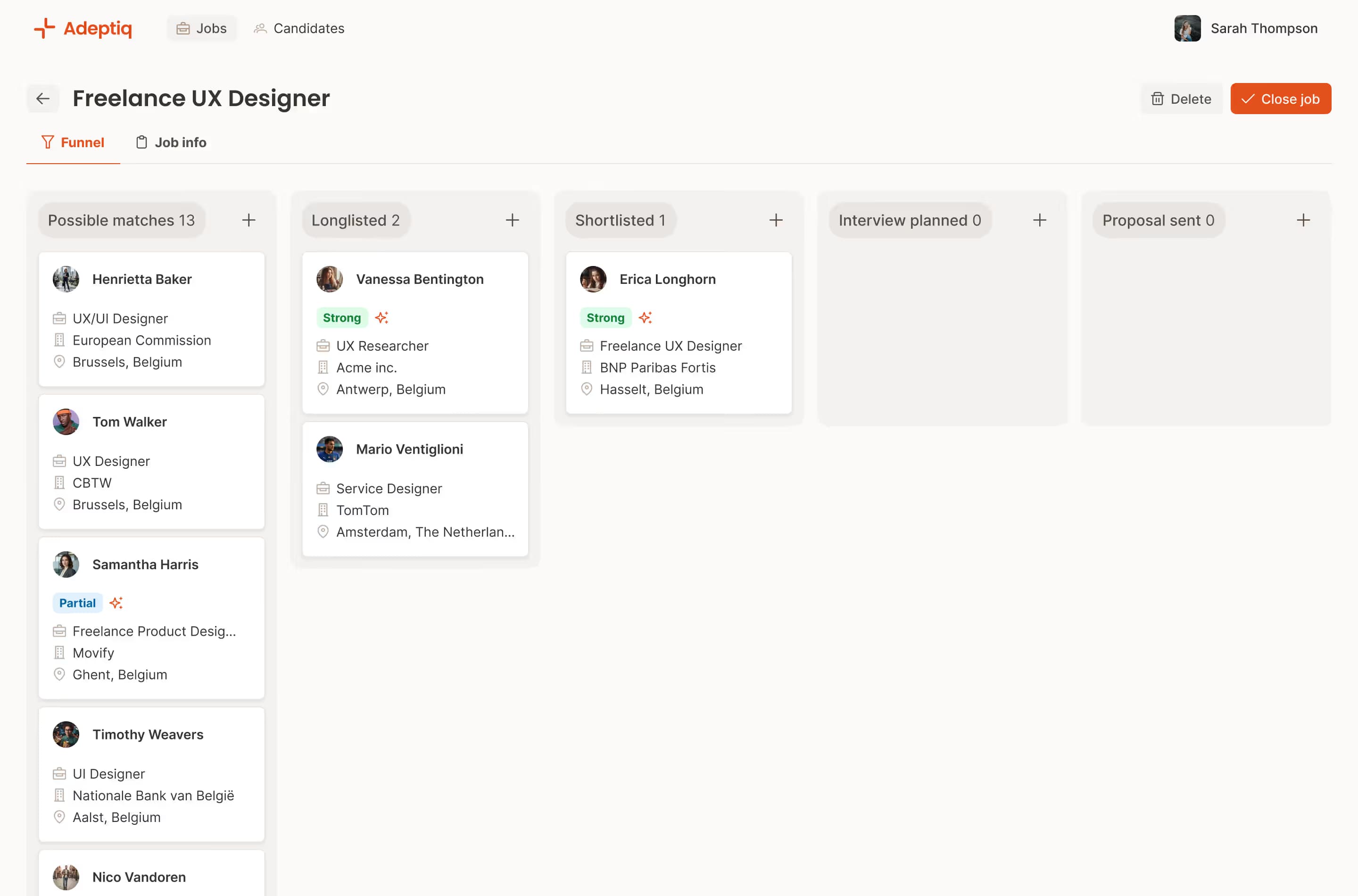
Drag-and-drop funnel that shows exactly where every candidate stands. No spreadsheets, no confusion, no candidates falling through the cracks.

A screenshot of the Job funnel page in Adeptiq
Tracking candidates shouldn't require a spreadsheet

Most recruiters either use a complex ATS they hate or patch together their own system with spreadsheets and email folders. Neither works well.

An illustration of a bear drawing on a messy chalkboard
Tracking candidates shouldn't require a spreadsheet

Most recruiters either use a complex ATS they hate or patch together their own system with spreadsheets and email folders. Neither works well.

An illustration of a bear drawing on a messy chalkboard

Adeptiq helps you keep an overview on a job position.
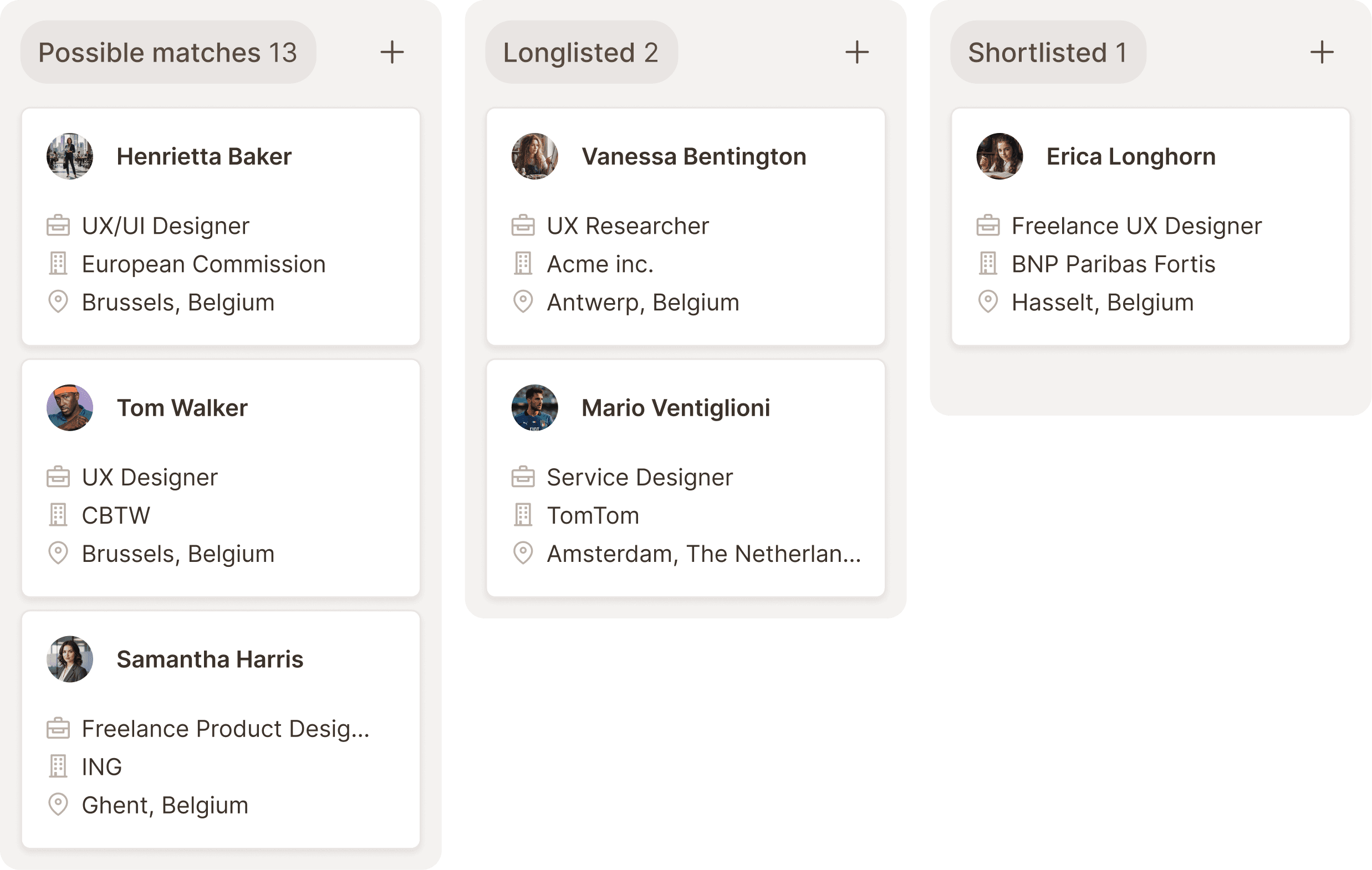
Adeptiq helps you keep an overview on a job position.

A screenshot of a job funnel in Adeptiq

CANDIDATE TRACKING

Your entire funnel at a glance.

Drag candidates through your funnel as they progress. You'll see bottlenecks immediately. 15 candidates stuck in "Longlist"? Time to review them. Nobody in "Interview planned"? Your pipeline is drying up.

A screenshot of a job funnel in Adeptiq

CANDIDATE TRACKING

Your entire funnel at a glance.

Drag candidates through your funnel as they progress. You'll see bottlenecks immediately. 15 candidates stuck in "Longlist"? Time to review them. Nobody in "Interview planned"? Your pipeline is drying up.

Add from AI Search

From search results to funnel

Found promising candidates in your database? Add them directly to any job without leaving the search page. Don't wait for applications. Find candidates and add them to roles that fit.

A screenshot of a button to add a candidate to a job

Add from AI Search

From search results to funnel

Found promising candidates in your database? Add them directly to any job without leaving the search page. Don't wait for applications. Find candidates and add them to roles that fit.

A screenshot of a button to add a candidate to a job
A screenshot of the AI telling that the user's search input is too broad, after which the user adds two additional language requirements

CANDIDAte dETAILS

Click through for more info

No switching between tools. Every candidate card links to their complete profile, where you'll find all the information you need.

A screenshot of the AI telling that the user's search input is too broad, after which the user adds two additional language requirements

CANDIDAte dETAILS

Click through for more info

No switching between tools. Every candidate card links to their complete profile, where you'll find all the information you need.

Move candidates like sticky notes

Drag and drop. Grab a candidate card and drag it to the next stage. That's it. No forms to fill out, no dropdown menus, no "are you sure?" confirmation boxes.

An illustration of post-its showing different recruitment stages
Everyone sees the same picture

Hiring is a team sport. When someone on your team moves a candidate or adds a note, everyone else sees it immediately.

A screenshot of notes that are added to a candidate by multiple team members
See what matters without clicking

Each candidate card shows the key information at a glance. You don't need to open every profile to know who you're looking at.

An example of core info that is shown on each candidate card
Move candidates like sticky notes

Drag and drop. Grab a candidate card and drag it to the next stage. That's it. No forms to fill out, no dropdown menus, no "are you sure?" confirmation boxes.

An illustration of post-its showing different recruitment stages
Everyone sees the same picture

Hiring is a team sport. When someone on your team moves a candidate or adds a note, everyone else sees it immediately.

A screenshot of notes that are added to a candidate by multiple team members
See what matters without clicking

Each candidate card shows the key information at a glance. You don't need to open every profile to know who you're looking at.

An example of core info that is shown on each candidate card

Frequently asked questions

Frequently asked questions